Your astro-landscape darkroom. Inside Photoshop.
Your whole landscape-astrophotography workflow, in one tool inside Photoshop. NightScape Lab stacks a night of RAW frames into a clean, color-managed base image, then finishes it: Star Removal and Declutter, a Foreground Sky Merge, Star Trails. Every result lands as normal Photoshop layers you keep editing. Nothing ever leaves your machine.
Buy once, own forever · macOS & Windows · Photoshop 2023+ · Lightroom Classic · All processing runs locally
↑ Click Stack · Prepare · Stars to explore the panel.
The four main jobs
One purchase, all of it inside Photoshop:
Stacking
A night of RAW frames, calibrated and aligned into one clean, color-managed 16-bit base image. Satellite and plane trails are removed during stacking.
Star Trails
A night of ground-fixed frames becomes trails, five looks, with the foreground protected.
Star Removal & Declutter
Starless and Star Map layers you recombine at any strength, or thin a crowded sky without erasing it.
Foreground Sky Merge
Automated sky and ground masking blends your best foreground with your best sky in one document.
Plus White Balance, Defringe, and Recipes. Every tool in detail →
A panel, an engine, and a Lightroom on-ramp
Nightscape astrophotography usually means juggling a stacker here, plugins there, exports in between. NightScape Lab puts the complete darkroom in one tool, wired into the apps you already use.
Stack, prepare, and finish inside Photoshop. Every result comes back as documents and layers you keep editing.
A native local engine handles RAW development, alignment, stacking, and the AI models, all on your own machine. No cloud, no uploads, no subscription servers.
Select a night's frames in Lightroom Classic and send them straight to stacking or star trails. The results come back into your catalog automatically.
From Lightroom selection to stacked base image, hands-off
Select a night's RAW frames, lights and darks together, in any order, and choose Stack in NightScape. That's the whole job description.
- ✓Automatic light/dark detection. The engine reads each frame's actual sensor brightness and pre-sorts lens-cap darks from sky frames. No naming conventions, no tagging.
- ✓A two-column review dialog. Lights left, darks right, thumbnails for every frame. One click moves any frame the auto-detect guessed wrong.
- ✓Zero-copy staging. On the same volume your RAWs are handed over as read-only hard links: instant, zero bytes copied, originals untouched by construction.
- ✓Delivered where you live. The base image saves beside your source RAWs, imports into your catalog automatically (stacked with its frames in the grid), and opens in Photoshop.
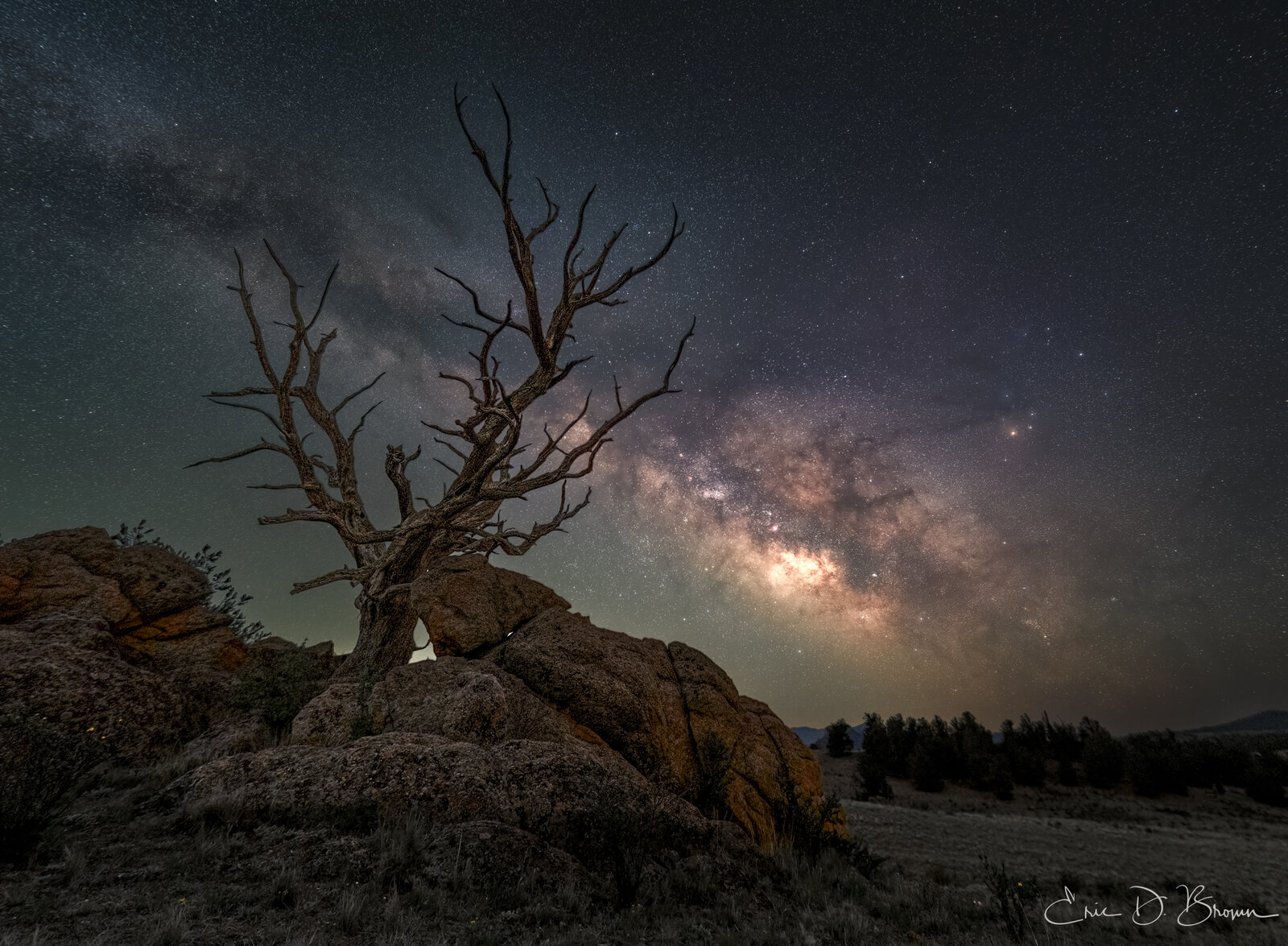
Your sky moves while your foreground stays put.
Earth rotates. Shoot 20+ exposures of the Milky Way and the stars arc across the frame while the landscape stays put. Align to the stars and the ground blurs; align to the ground and you get star trails. New to stacking? Here's why it matters.
NightScape Lab masks the sky and the ground for you, automatically. The AI separates the two at full resolution when it's time, so the sky aligns on stars while the ground stays put, in one pass, and you never hand-mask a horizon. Pre-demosaic dark subtraction, star-based alignment, and two-pass kappa-sigma rejection remove satellites and planes while keeping stars. And it is engineered to be deterministic: the same input produces the identical output, byte for byte.
- ✓The mask is yours. It arrives as a real Photoshop layer. Don't like it? Paint it black and white and click Restack with edited mask. Repeat until it's right.
- ✓Two ways in. Stack RAW files from disk, or stack the layers already open in Photoshop. RAW paths develop from true sensor data.
- ✓Preview before you commit. See the exact mask a stack will use, edit it, then stack with your version.
A clean linear base image, with nothing baked in to undo
Most one-click tools hand you a finished-looking file with the color and contrast already decided. NightScape Lab develops your RAWs straight into a 16-bit linear ProPhoto base image that Photoshop color-manages correctly, so your white balance, curves, and grade all behave.
True sensor color
Wide-gamut linear ProPhoto, developed directly from RAW. Deep hydrogen-alpha reds and OIII teals survive, and the math stays physically meaningful.
Non-destructive
Every tool writes its result as a new document or a new layer. Your original files are never modified. Everything stays editable.
100% local
The engine and every AI model run on your own machine. No cloud, no uploads. Your images never leave your computer.
The finishing tools astro-landscape shooters actually reach for
Every tool works on the shared AI sky mask and delivers layers, not flattened files. No PixInsight learning curve, no juggling three plugins.
Calibrated Stacking
Lights and darks to a clean linear base image, with the AI sky mask as an editable layer and a restack loop. Stacking real frames is also the honest way to kill noise.
White Balance
Neutralizes the color cast using sky-background star sampling, applied as its own layer so you can pull back its opacity.
Defringe
Purple and green chromatic fringes, SCNR color-cast cleanup, and star-color neutralization, with star cores protected.
Star Removal
AI-powered: a starless layer plus a separate Star Map layer (Linear Dodge), so stars remain a first-class, editable ingredient.
Declutter
Flux-sculpted star reduction that dims faint clutter by prominence, while Constellation Guard protects the bright, round stars that define your sky.
Foreground Sky Merge
Combine a foreground and a sky with edge-aware matting and statistical color reconciliation. The result is layered and fully signed, so every Lab tool works on it too.
Star Trails
Five looks (Solid, Comet, Meteor, Fade, Vortex), built from a night of frames, right in the panel or dispatched from Lightroom.
Recipes
Capture any sequence of steps with your exact settings and replay it on the next image with one click, step by step, each as its own layer.
One tool, one purchase. Everything a nightscape needs between RAW frames and your final grade, without leaving Photoshop.
A night of frames. Five kinds of trails.
Select a night of ground-fixed frames and pick a look: Solid, Comet, Meteor, Fade, or Vortex. The engine builds sequence-scaled trails with gap filling and star-point heads over a clean, noise-rejected foreground.
It handles hundreds of full-resolution RAWs in minutes. The finished trail image saves beside your sources, imports into your Lightroom catalog, and opens in Photoshop. Available as one-click dispatch from Lightroom or with full per-look control right in the panel.
As good a stack, delivered the way a Photoshop editor needs it
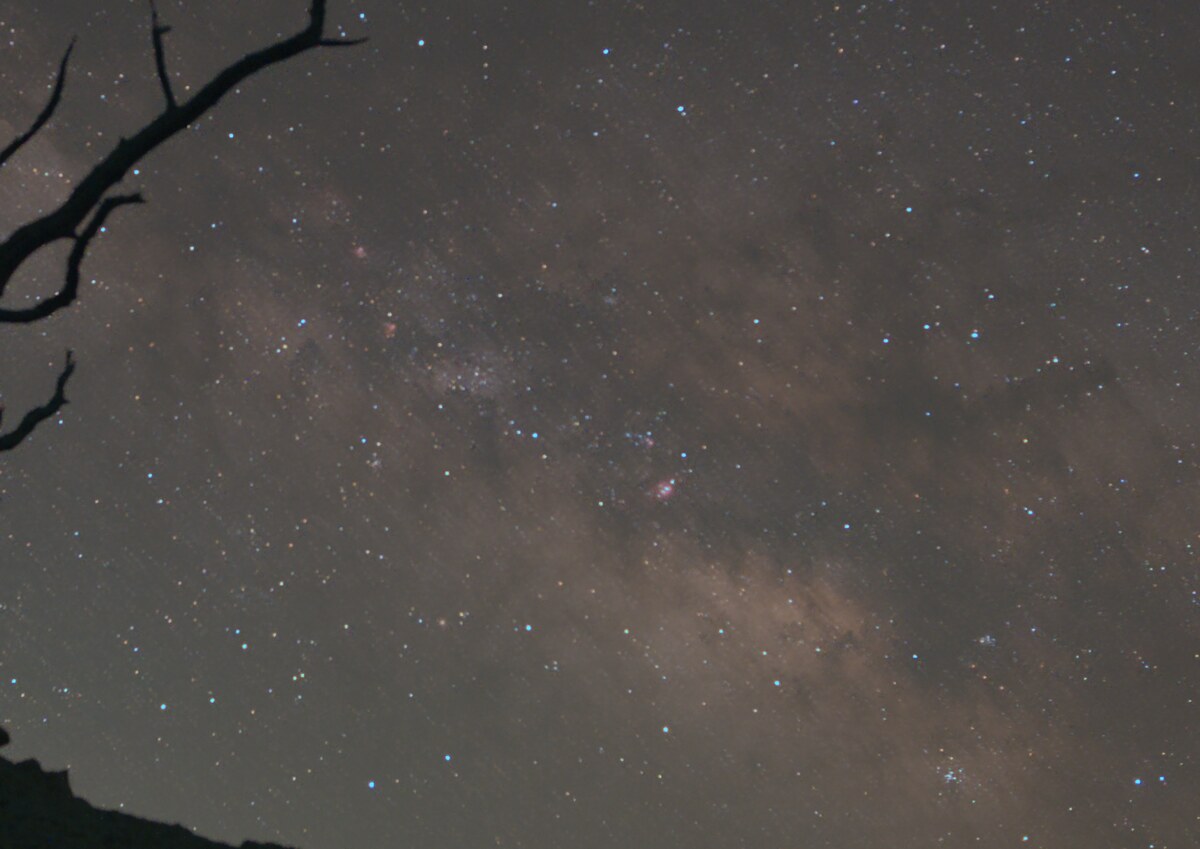
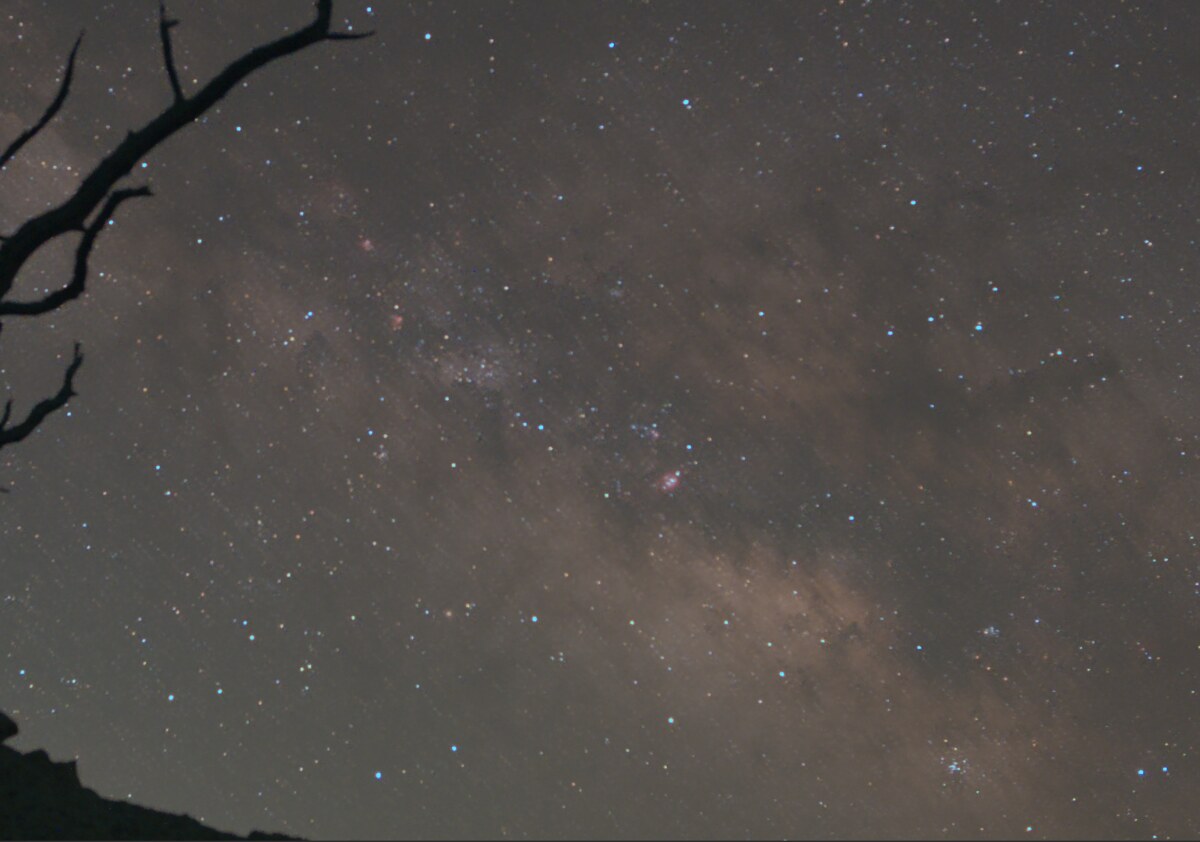
A matched crop from the same scene (10 lights + 10 darks), stacked two ways. The captured content is essentially a tie; our edge is a little tighter on the stars. And the decisive difference is the deliverable: a clean linear base image with correct color, not "we see more."
Built so you can trust what it does
The gate
Lab tools only operate on genuine, scene-linear NightScape base images. Every result carries an embedded signature the panel verifies, so you never accidentally double-process an already-finished JPEG. A clear override exists when you know what you're doing.
Real progress, real cancel
Every job shows its actual engine progress, and Cancel genuinely stops the engine, not just the progress bar.
Privacy by architecture
Processing is 100% local. Error and usage reporting is optional, off by default, asked once, and never includes images, file names, or settings. A permanent toggle lives in Preferences.
Support that can see
One click puts the panel's entire version-stamped activity log on your clipboard, ready to paste into a support email. The panel also tells you when a new version ships.
$129. No subscription. No upgrade pressure.
One price for the whole darkroom: stacking, the star tools, the foreground sky merge, star trails, and the Lightroom plugin. Comparable Photoshop plugin bundles run about $190 and still leave you without a stacker.
- $One-time purchase. A simple license key with seat management: enter it once in the panel.
- ⌂Runs inside Photoshop 2023+ on macOS & Windows, with Lightroom Classic integration.
- ↓The demos and before/after proof are your test drive. When you're convinced, buy it.
- ✓Backed by a 30-day money-back guarantee. If it's not for you, email for a full refund, no questions asked.
- ✓ Calibrated RAW stacking + restack loop
- ✓ Lightroom Classic round-trip
- ✓ White Balance, Defringe, Stars + Recipes
- ✓ Foreground Sky Merge + Star Trails (five looks)
- ✓ macOS & Windows · 100% local processing
"I wanted to go from a night of frames in Lightroom to a finished nightscape in Photoshop without exporting to three other apps. So I built the darkroom I wished existed."
Questions, answered straight
Is this a plugin or a separate app?
Three pieces working as one: a Photoshop panel (the control surface), a local engine that does the heavy lifting on your own machine, and a Lightroom Classic plugin that sends frames to stacking and brings results back to your catalog. You work entirely inside the apps you already use.
Do I need Lightroom?
No. The panel stacks straight from RAW files on disk, or from layers already open in Photoshop. The Lightroom plugin is the convenient on-ramp if Lightroom Classic is where your nights live.
Do I still need other software?
No separate stacker, no PixInsight, no plugin bundle. You need Photoshop 2023 or newer on macOS or Windows; Lightroom Classic is optional. NightScape Lab covers stacking, stars, the foreground sky merge, and star trails in one tool.
From a night of frames to a finished nightscape.
Everything you need to take a night of frames all the way to a finished nightscape, without leaving Photoshop and Lightroom.
30-day money-back guarantee. Less than the plugin bundle, and if it's not for you, email for a full refund, no questions asked.